
17 film stocks · −2 to +3 EV · Standard and Professional
ANALOG VISION STUDIO – C-41 Edition
4.9 from 268 reviews of Analog Vision StudioBuilt from real 35mm film, scanned on the Frontier SP-500 and the Noritsu.
€179
One program per purchase. Need both? Add the second program for €49.


Already own an edition?
01Sample photos
Real photos with the C-41 Edition film stocks.
Every photo is labeled with its film stock. Tap to see the raw file.

 Portra 400
Edit recipe
Film profilePortra 400 · Noritsu · 0 EV
AVS Lab Tech
- Lab Fade
- 56 %
- Color Matrix
- 18
AVS Film GrainPortra 400 Noritsu, with softness
White balance as shot. Exposure and tone are the same on both sides.

 Ektar 100
Edit recipe
Film profileEktar 100 · Noritsu · +1 EV
AVS Lab Tech
- Color Matrix
- 19
- Color Vividness
- −8
- Printer Keys
- Red 3 · Yellow 4
AVS Film GrainEktar 100 Noritsu, with softness
White balance as shot. Exposure and tone are the same on both sides.

 Gold 200

 ColorPlus 200
Edit recipe
Film profileColorPlus 200 · Frontier · +1 EV
AVS Lab Tech
- Printer Keys
- Yellow 4
AVS Film GrainColorPlus 200 Frontier, with softness
White balance set by hand (6143 K). Exposure and tone are the same on both sides.

 Fuji 400
Edit recipe
Film profileFuji 400 · Frontier · +1 EV
AVS Lab Tech
- Lab Fade
- 100 %
- Color Matrix
- 11
- Printer Keys
- Cyan 3
AVS Film GrainFuji 400 Frontier, with softness
White balance as shot. Exposure and tone are the same on both sides.

 Fuji Pro 400H

 UltraMax 400

 Kodacolor 200
Edit recipe
Film profileKodacolor 200 · Noritsu · +1 EV
AVS Lab Tech
- Lab Fade
- 19 %
- Color Matrix
- 16
AVS Film GrainKodacolor 200 Noritsu, with softness
White balance as shot. Exposure and tone are the same on both sides.

 Portra 800
Edit recipe
Film profilePortra 800 · Frontier · 0 EV
AVS Lab Tech
- Lab Fade
- 100 %
- Color Matrix
- 20
- Printer Keys
- Blue 6 · Magenta 1
AVS Film GrainPortra 800 Frontier, with softness
White balance as shot. Exposure and tone are the same on both sides.

 ProImage 100
Edit recipe
Film profileProImage 100 · Frontier · +1 EV
AVS Lab Tech
- Lab Fade
- 43 %
- Printer Keys
- Yellow 9
- Split Toning
- Shadows Green 6
AVS Film GrainProImage 100 Frontier, with softness
White balance as shot. Exposure and tone are the same on both sides.

 Fuji 200
Edit recipe
Film profileFuji 200 · Frontier · +1 EV
AVS Film GrainFuji 200 Frontier, with softness
White balance as shot. Exposure and tone are the same on both sides.

 Santacolor 800
Edit recipe
Film profileSantacolor 800 · Frontier · 0 EV
AVS Film GrainSantacolor 800 Frontier, with softness
White balance as shot. Exposure and tone are the same on both sides.

 Ektar 100
Edit recipe
Film profileEktar 100 · Noritsu · 0 EV
AVS Film GrainEktar 100 Noritsu, with softness
White balance as shot. Exposure and tone are the same on both sides.

 Gold 200 Pushed 1 Stop
Edit recipe
Film profileGold 200 Pushed 1 Stop · Frontier · 0 EV
AVS Film GrainGold 200 Pushed 1 Stop Frontier, with softness
White balance as shot. Exposure and tone are the same on both sides.

 Portra 400 Pushed 1 Stop
Edit recipe
Film profilePortra 400 Pushed 1 Stop · Frontier · 0 EV
AVS Lab Tech
- Lab Fade
- 54 %
- Color Matrix
- 15
- Printer Keys
- Cyan 4
AVS Film GrainPortra 400 Pushed 1 Stop Frontier, with softness
White balance as shot. Exposure and tone are the same on both sides.

 Kodacolor 100
Lumenary’s own photos: the film profile and small edits, white balance as shot. Tap Recipe on a photo to see every step. Partner photos are credited.
02The film stocks
The C-41 Edition has 17 film stocks, each scanned on the Frontier SP-500 and the Noritsu.
Pick a film stock in Lightroom or Capture One, and your photos get the colors of that film.
- 01ColorPlus 200
- 02Ektar 100
- 03Fuji 200
- 04Fuji 400
- 05Fuji Pro 400H
- 06Gold 200
- 07Gold 200 Pushed 1 Stop
- 08Kodacolor 100
- 09Kodacolor 200
- 10Portra 160
- 11Portra 400
- 12Portra 400 Pushed 1 Stop
- 13Portra 800
- 14ProImage 100
- 15Santacolor 800
- 16UltraMax 400
- 17UltraMax 400 Pushed 1 Stop
Kodacolor 200 on the Frontier SP-500 comes in five exposures, from −2 to +2 EV.
- 17 film stocksEach one scanned on both the Frontier SP-500 and the Noritsu.
- 534 profilesFor Lightroom and Camera Raw, in Standard and Professional versions.
- 267 styles per cameraFor Capture One, built for the camera you choose.
- −2 to +3 EVExposure levels from two stops under to three stops over.
03Side by side
Next to a Portra 400 film scan, the profile holds the colors of the film.
One raw file of a 140-patch color chart. Drag the line to compare.

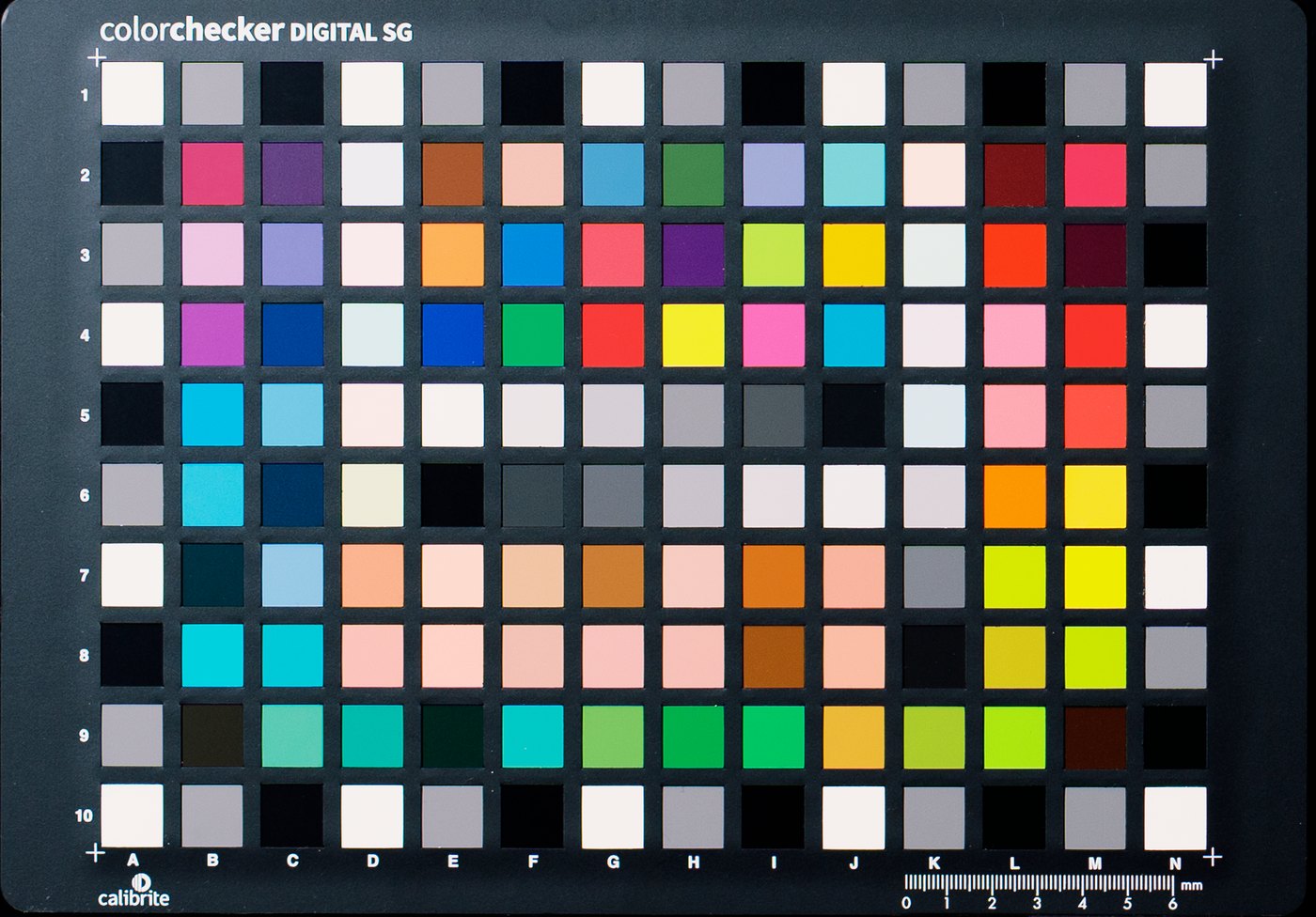
From the Portra 400 profile build at 0 EV. Raw file: Sony A7 IV, Professional version, no grain added. Negative: 35mm film, shot separately, scanned on a Frontier SP-500.
04Six exposure levels
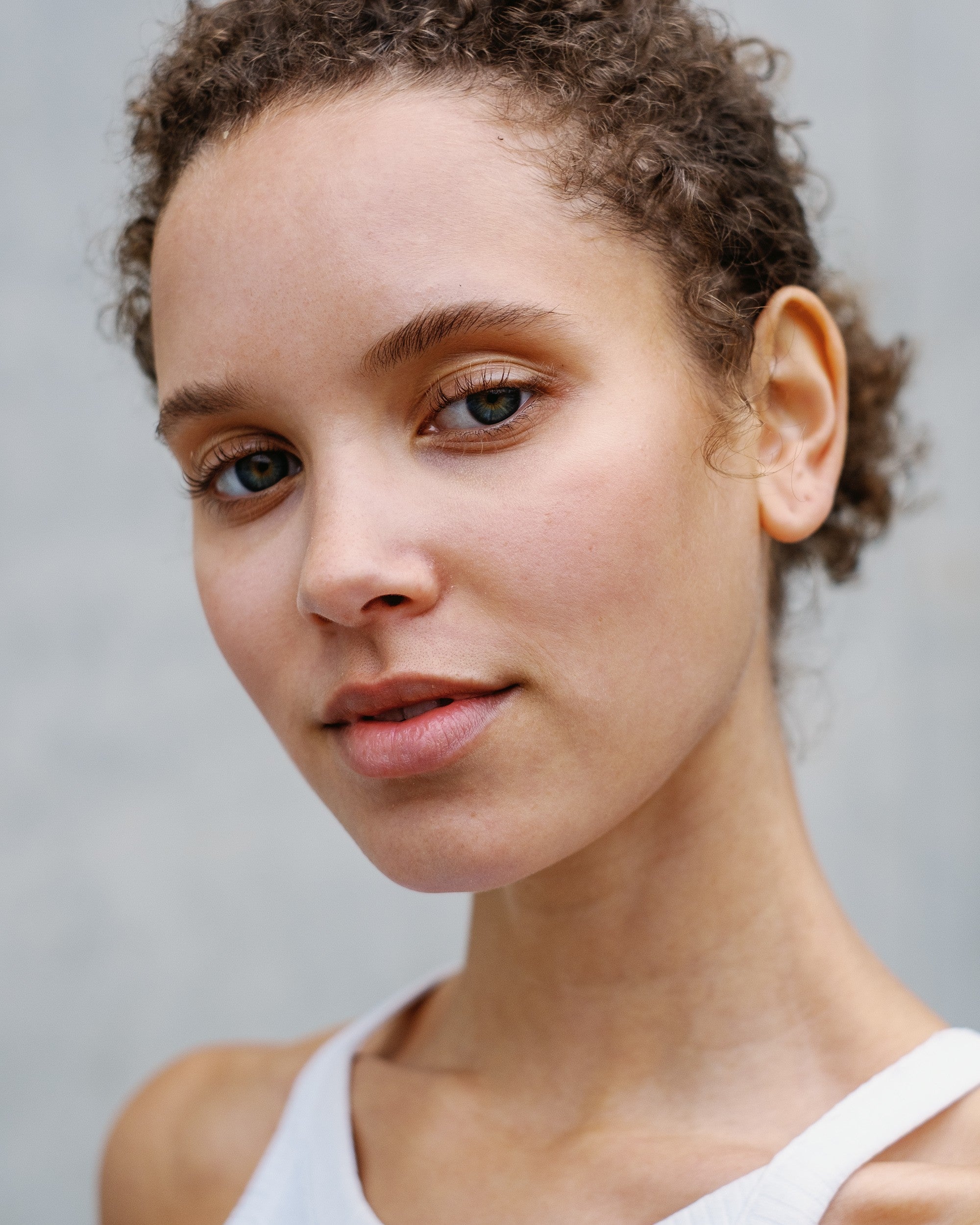
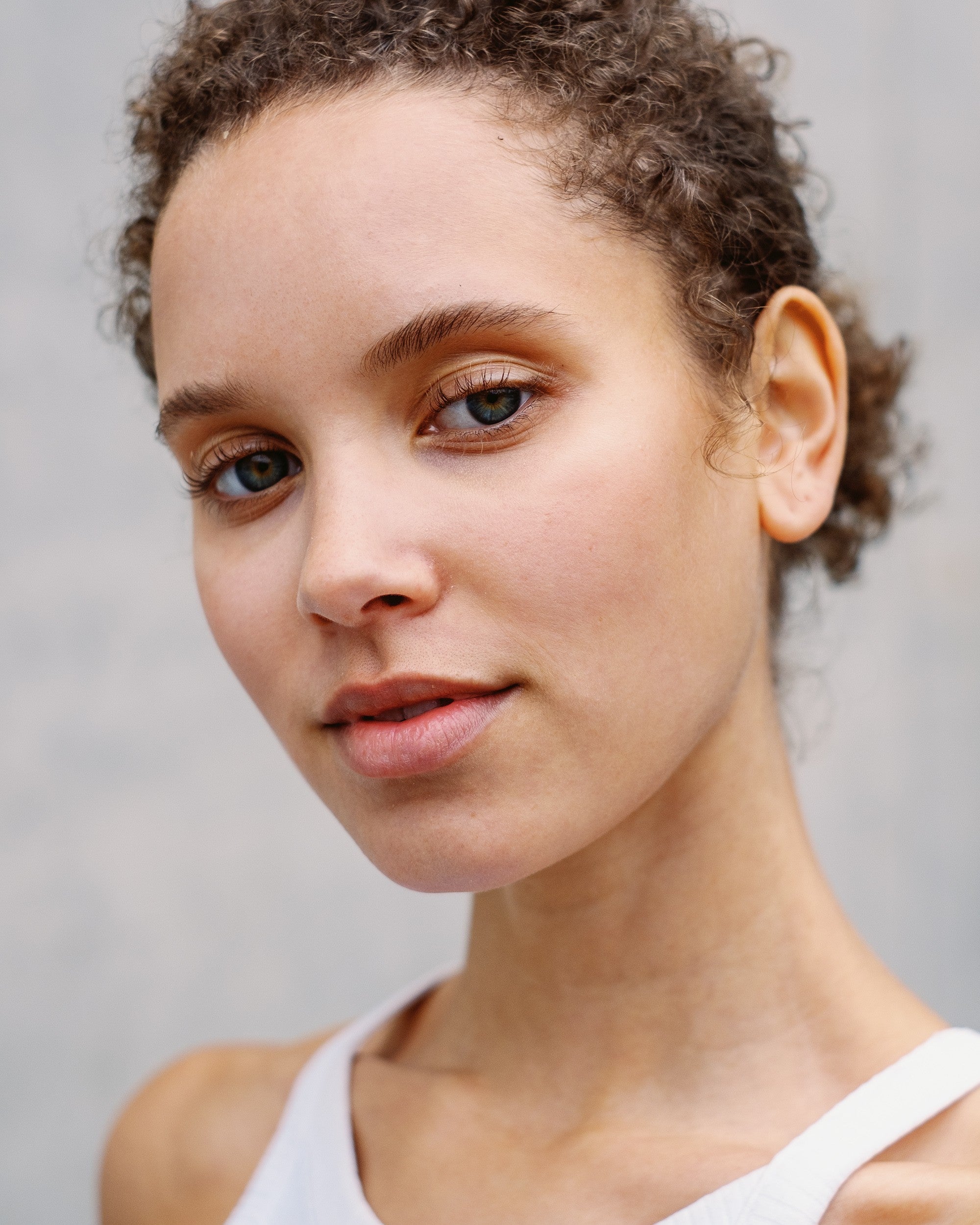
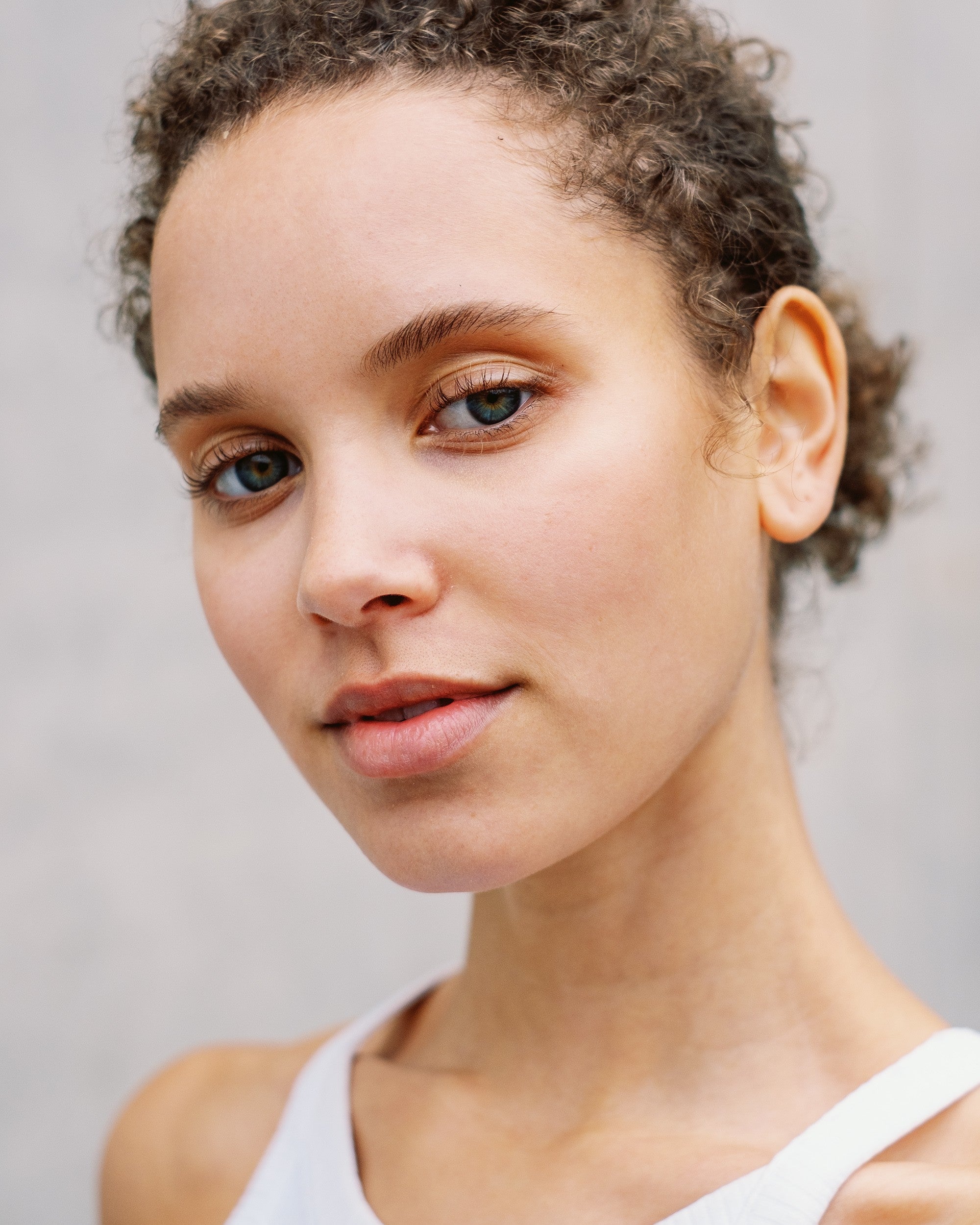
Six exposure levels per film stock. Pick the one that fits your light.
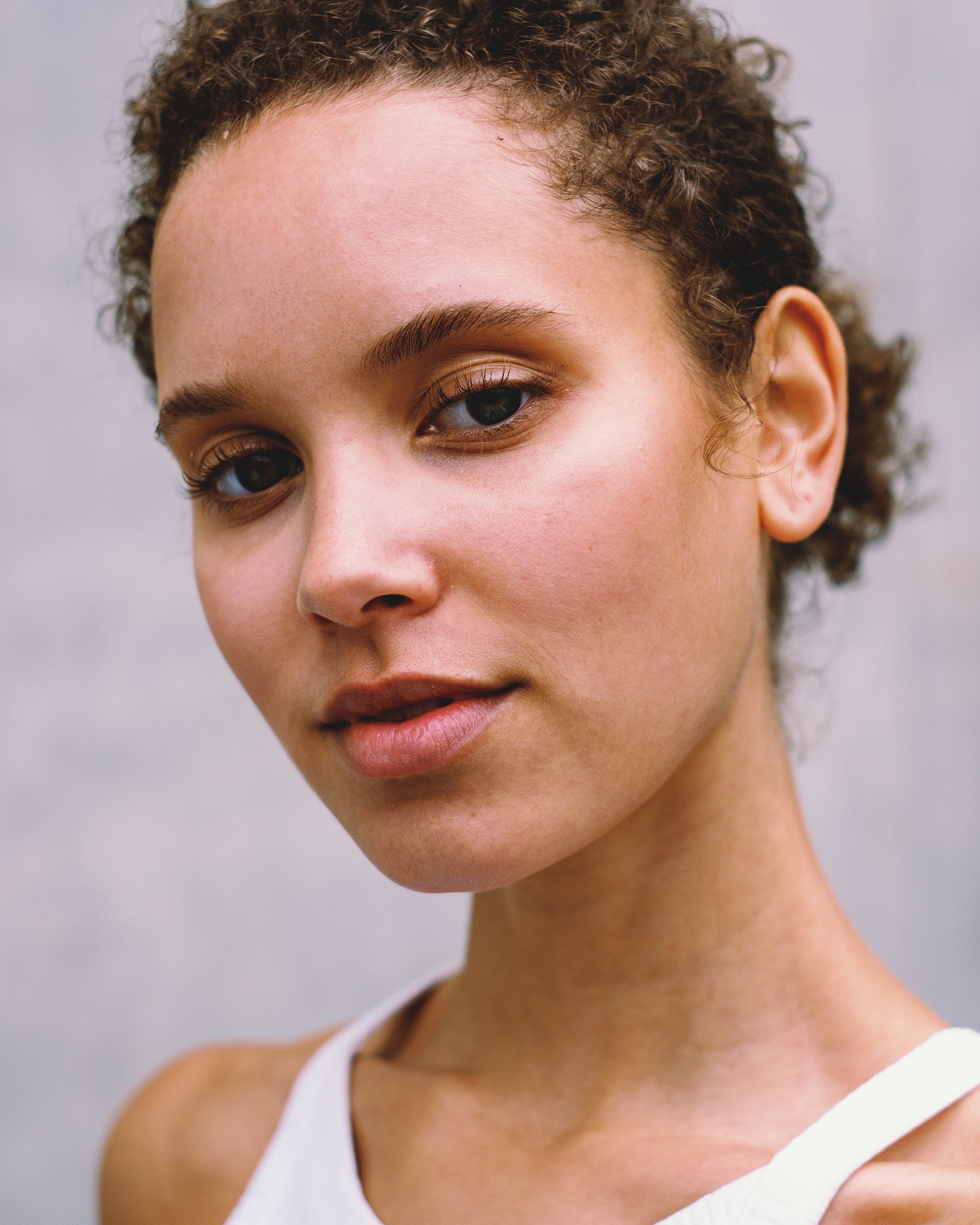
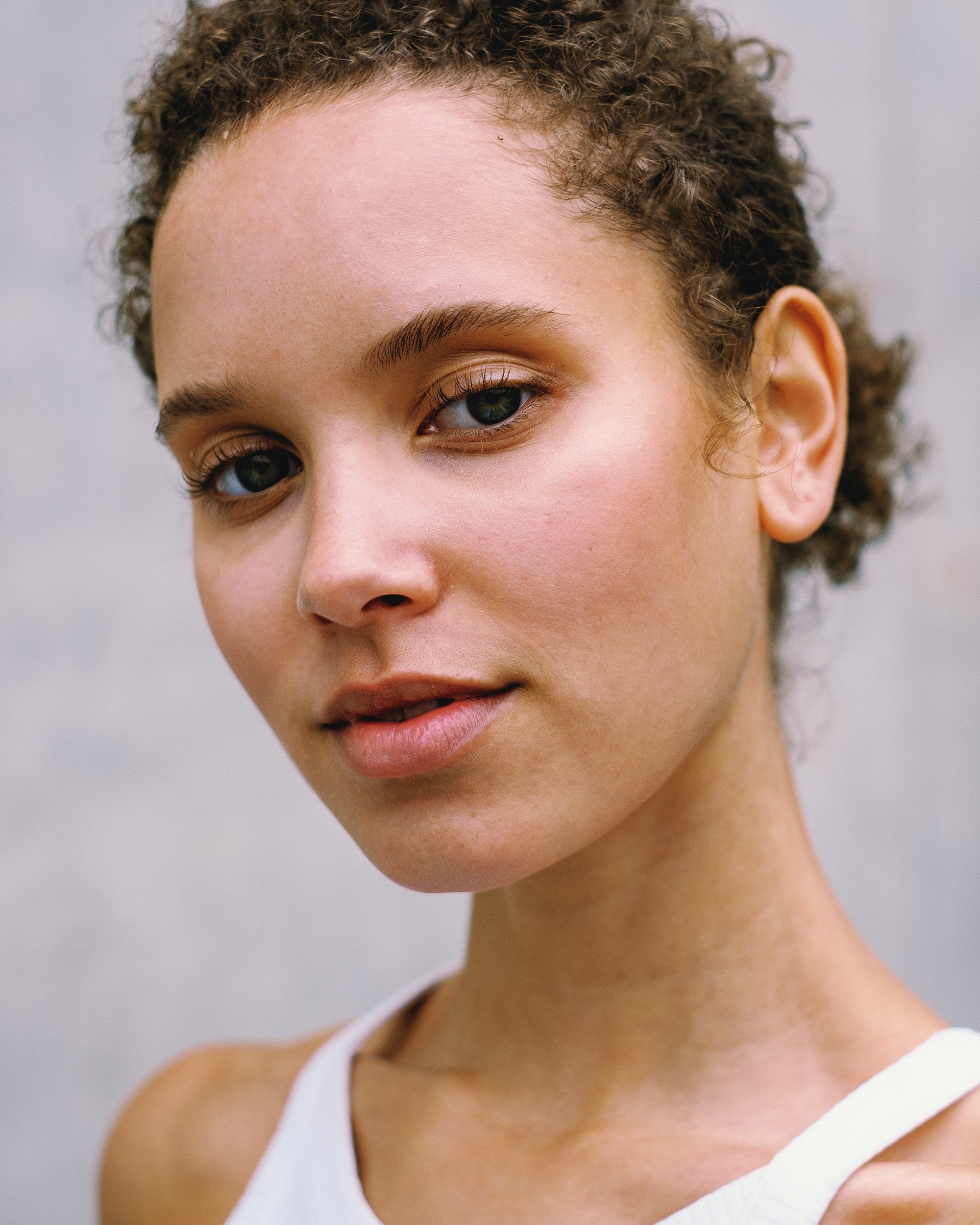
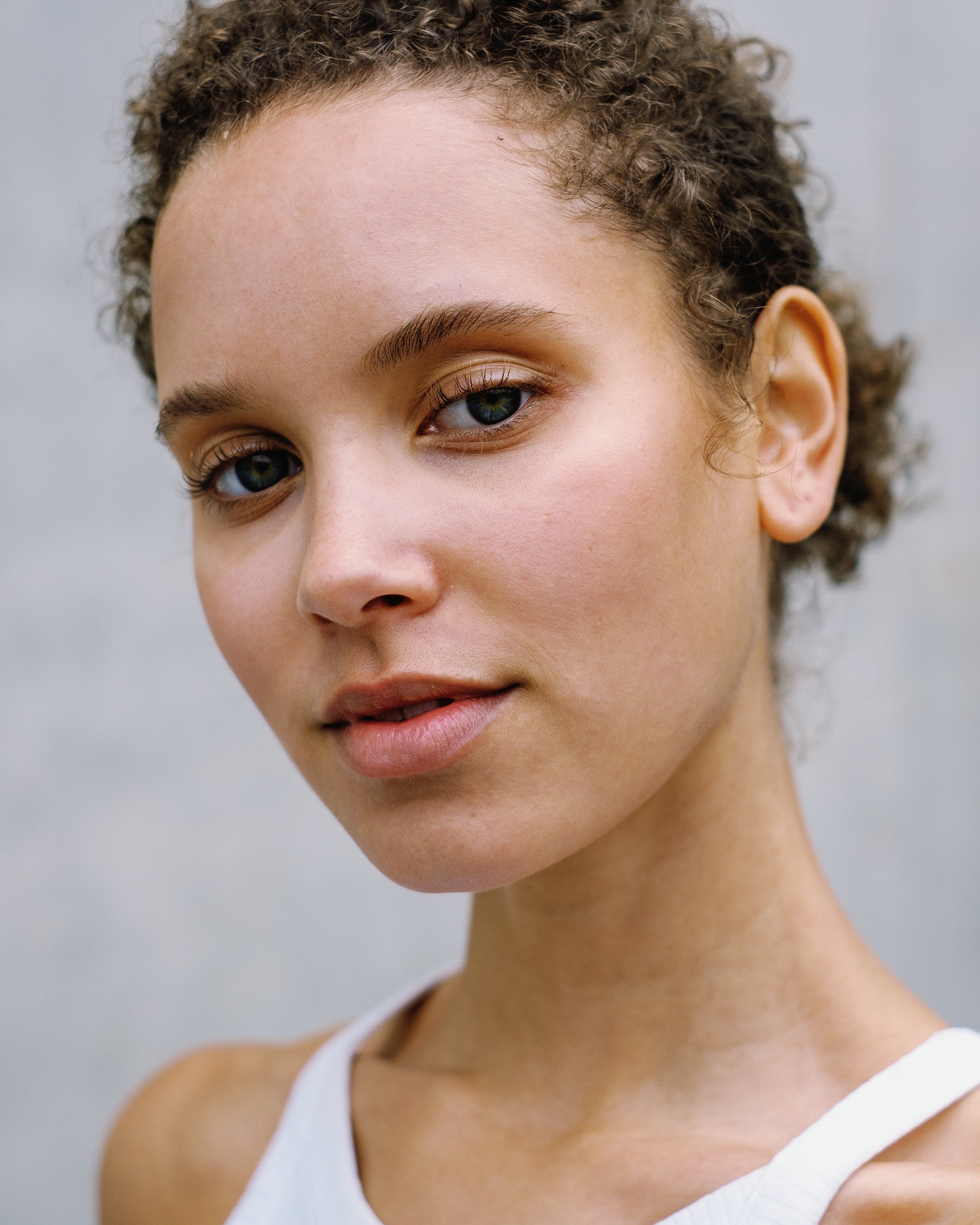
- What changes
- Below 0 EV skin gets deeper and warmer. Above 0 EV it gets lighter and softer.
- How to choose
- Start at 0 EV, then step down or up until the skin looks right.
05Professional, for Lightroom and Camera Raw
With Professional, two different cameras give you the same film look.
Standard works with every camera. Professional adds a neutral profile for your camera model underneath the film stock, so a wedding shot on two bodies comes out with one look.
- Made for working photographersWeddings, events and client series, where every frame has to match.
- 374 camera modelsNot listed? Use Standard, which works with every camera.
- Both come with every editionStandard and Professional are in the same download. AVS Lab Tech picks Professional for you when your camera is supported.
06Verified reviews
Every review here is quoted word for word.
Published reviews from buyers of the Essential edition, from before the launch of the library. Camera and genre are their own answers.
Read all reviews
07Before you buy
The 3D LUT-based profiles work in Lightroom, Camera Raw and Photoshop, and the ICC-based styles in Capture One.
| What you get there | |
|---|---|
| Lightroom Classic 7.3+ | 3D LUT-based profiles and the AVS Toolkit. The AVS Lab Tech plug-in needs Lightroom Classic 12 or newer. |
| Lightroom 1.3+ | 3D LUT-based profiles and the AVS Toolkit, on desktop and, after one import on a desktop, on your phone. |
| Camera Raw 10.3+ | 3D LUT-based profiles and the AVS Toolkit, also in Photoshop. |
| Capture One | ICC-based styles for the camera you choose before you buy. Checked in Capture One Pro 16.8 on Mac. |
| Other editors | No. These are Lightroom profiles and Capture One styles, not .cube files. |
Questions photographers ask before they buy
Which program do I choose?
Choose the program you edit in. A purchase covers one program: Lightroom and Camera Raw, or Capture One.
Can I use a pack in both programs?
Yes. Add the second program to your order for €49 / $59 and you get the same pack for the other program.
My camera isn't on the list. Can I still use the profiles?
In Lightroom and Camera Raw, yes. Use the Standard version, which works with every camera Camera Raw supports. Both versions come with every pack.
Which camera do I choose for Capture One?
The one you shoot with most. The ICC-based styles are built for that camera. Every further camera is an add-on, and its price for this edition is shown under the camera field.
Can I buy more than one pack?
Yes. Packs share their files, so a profile that two packs contain is installed once.
Can I buy single film stocks?
No. Film stocks come in editions. The smallest are the Cine and B&W Editions, three film stocks each.
Where are the limits?
The profiles are built in daylight. They stay flexible in other light, but there is no promise of a perfect match at night or under extreme color. Professional needs a raw file. Capture One styles are built for one camera model.
Can I try it first?
Yes. Kodacolor 100 and Vision 3 250D are free at 0 EV, Standard version, for Lightroom, on the free film profiles page.