
Free sample
Two film stock profiles for Lightroom are free to try.
Kodacolor 100 and Vision 3 250D, one profile each at 0 EV in the Standard version, arrive by email after you sign up. They run in Lightroom Classic, Lightroom and Camera Raw, on raw files from any camera and on JPEG files.
- 2film stocks: Kodacolor 100 and Vision 3 250D
- 0 EVone exposure level per film stock
- Standardworks with any camera, on raw and JPEG files
- Freeto keep, delivered by email
01What you get
The free sample contains two film stock profiles at 0 EV in the Standard version.
The sample is a small part of Analog Vision Studio V2.1 Essential. It holds one profile each for Kodacolor 100 and Vision 3 250D. Both are Kodak film stocks: Kodacolor 100 is a C-41 colour negative film, Vision 3 250D is a motion picture film that is developed in ECN-2. Each profile sits at 0 EV and is built on the Standard base, which is Adobe Standard.
The profiles run in Lightroom Classic 7.3 or newer, Lightroom (cloud) 1.3 or newer and Camera Raw 10.3 or newer. On a phone or tablet they arrive through Creative Cloud sync. The Standard version works with a raw file from any camera Lightroom supports, and it also works with JPEG files. No camera list applies to it.
The profiles change no creative sliders, all sliders stay at zero. The Amount slider runs from 0 to 200 and the profiles are built for 100.
- Kodacolor 100Kodak · colour negative · C-41
- Vision 3 250DKodak · motion picture · ECN-2
Six fields of the colour chart at 0 EV: light skin, orange, red, foliage, blue sky, neutral. Scanned on a Fuji Frontier SP-500.


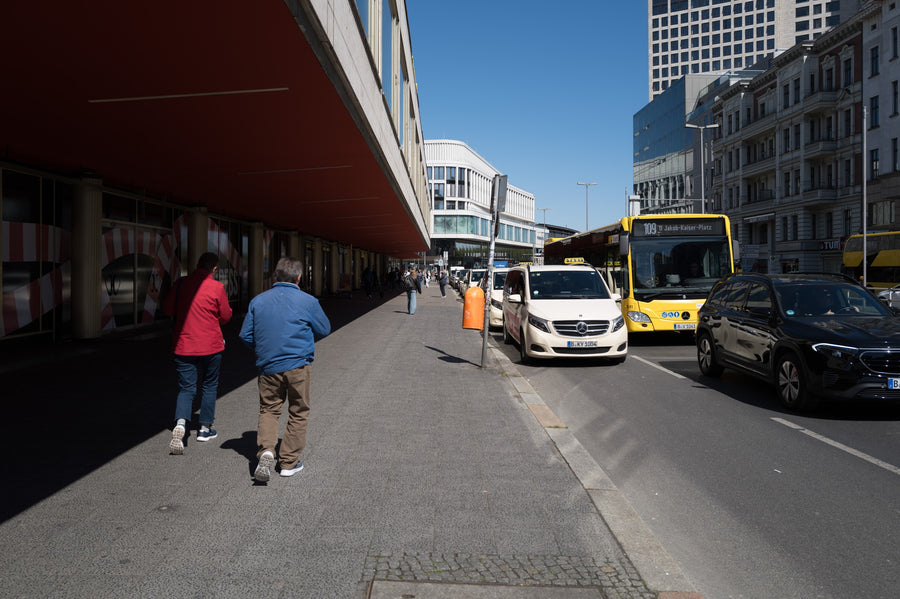
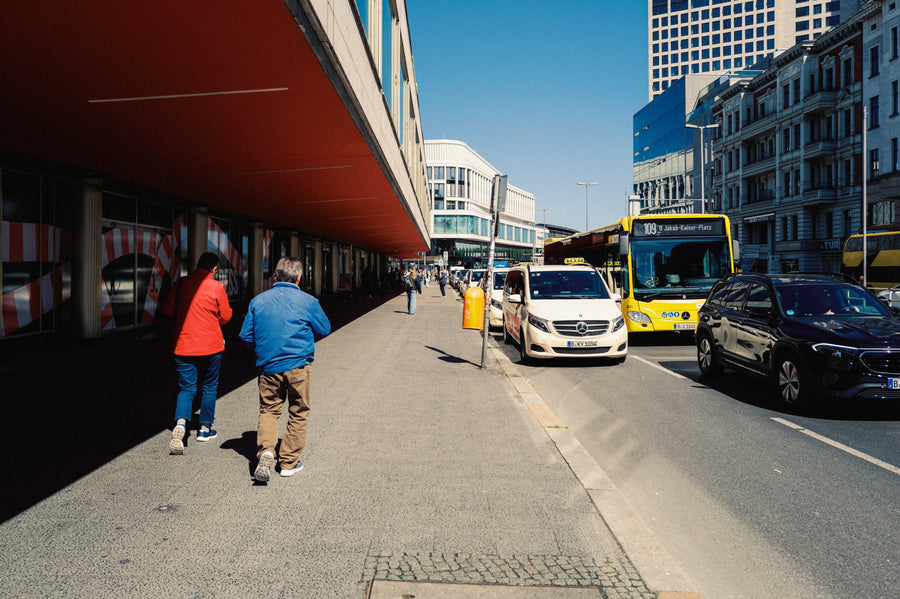
Same photo, Adobe Standard against the profile. Photos from the sample gallery, made with the Essential Edition profiles, grain presets and a slight exposure change, white balance as shot.
02What is not included
The sample leaves out the other exposures, Professional, the workflow tools and the other film stocks.
The sample is meant for trying two film stocks on your own files. The Essential Frontier edition holds these two film stocks and four more and costs 89 € once, with no subscription. This is how the two compare, and the film stock library lists the other editions, with up to 23 film stocks.
| Item | Free sample | Essential Edition |
|---|---|---|
| Film stocks | Kodacolor 100, Vision 3 250D | Six: HP5+, Kodacolor 100, Vision 3 250D, UltraMax 400, Fuji Pro 400H, Gold 200 |
| Exposures per film stock | 0 EV only | Six, from -2 to +3 EV |
| Versions | Standard only | Standard and Professional, 72 profiles in total |
| Camera profiles | None | Camera profiles (AVS Base Neutral) for every camera on the supported cameras list, for Professional |
| Workflow presets | None | 37 presets for tone, colour, grain and masking |
| AVS Lab Tech plugin | None | Included, needs Lightroom Classic 12 or newer |
The other exposures of a film stock change colour and contrast and leave brightness alone, so the sample shows one point on each film stock's range. Professional needs a raw file from one of the listed cameras, which is why the sample ships without it.
03Installation
Installing the sample takes one unzip and one import in Lightroom.
The email delivers one ZIP file. It holds a second ZIP with the profiles and a short guide as a PDF. These are the steps for Lightroom Classic on macOS and Windows.
- Unzip the download once. You see Free Film Stocks - Profiles.zip and the guide.
- Open Lightroom Classic and switch to the Develop module.
- Choose File, then Import Develop Profiles and Presets, and select Free Film Stocks - Profiles.zip. This second ZIP stays zipped.
- Click the grid icon at the top of the Basic panel to open the Profile Browser. The profiles are in the group ◭ Sample · Frontier · Standard.
The profiles appear in the Profile Browser, not in the Presets panel. If the group is missing, restart Lightroom once, because profiles are only read at startup. If it is still missing, click the plus icon, choose Manage Profiles and tick the group.
In Lightroom (cloud) the import is File, then Import Profiles and Presets. Wait until the cloud icon turns solid, and the profiles show up on your phone under Profile, then Browse. In Camera Raw inside Photoshop, open the Profile Browser, use the three dots in the upper right corner and choose Import Profiles and Presets. Lightroom Classic does not sync profiles to mobile, so import through the cloud-based app if you want them on a phone. The install guide for the Essential Edition shows the same import routes with screenshots.
04Light
The two film stocks are built for daylight, which is where to start trying them.
The profiles are built from colour charts on real 35 mm film, scanned on a Fuji Frontier SP-500, and they are built for daylight. Outdoor scenes and daylight-lit rooms are the fair test. In night scenes and with extreme colours the result can move away from the film, which is a limit of every profile in the set, the sample included.
Kodacolor 100 and Vision 3 250D are two different film stocks with their own colour and contrast response, so the practical test is to apply both to the same raw file and compare them next to each other.
05Examples
You can see both film stocks on real photos before you sign up.
The sample gallery shows before and after images against Adobe Standard for the six film stocks of the Essential Edition, Kodacolor 100 and Vision 3 250D included. The gallery images are edited with the profiles, the grain presets and a slight exposure change, with white balance as shot. The grain presets are not part of the sample. The product page lists everything in the Essential Edition, and the install guide covers the full installation.
FAQQuestions
Questions, answered.
Is the sample really free?
Do I need a credit card?
Does the sample work with JPEG files?
What happens with my email address?
Can I get the full Essential Edition for free?
Next step